
Blade strength test for propellers and wings: how Heliciel checks resistance
The strength test of a propeller, wing or wind turbine blade compares, for each element of the blade, the bending moment applied under the tested operating conditions with the maximum moment the element can withstand. Heliciel launches this test automatically at each rebuild of the blade design and at each performance test: you do not need to ask for it, you just read the result.
In this page:
- The blade strength test
- Reading the allowable moments graph
- Example: strengthening a blade that fails
- Materials and textures of the blade elements
1: The blade strength test
A blade in operation is loaded: the thrust (or lift) and the drag of the profiles bend it, like a diving board bent by the diver. The closer you get to the blade root, the larger the bending moment, because all the loads outboard add up there. Conversely, the resisting section of an element depends on its chord, its thickness, its internal structure and its material.
Heliciel compares these two quantities element by element. The strength of an element is that of its frame, structure and material, which you can choose in the advanced geometry options. You can also tick Incorporate envelopes resistance to add the strength of the envelope to that of the frame.
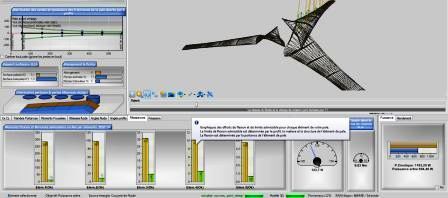
The Strength tab below the 3D view: one column per blade element, with the applied moment and the allowable moment.
2: Reading the allowable moments graph
At each performance test, Heliciel creates a graph that gives, for each element of the blade, the maximum allowable moment and the moment applied under the tested operating conditions. As long as the applied moment stays below the allowable moment, the element holds. The title of the graph shows the verdict of the test.
When an element does not hold, the alert appears in red: the blade will very probably not withstand the current conditions.
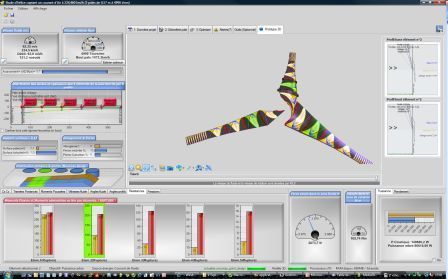
Strength alerts in red: the blade will not withstand the tested conditions.
Changing the width (the chord) of the blade profiles can increase its strength. The other lever is the thickness of the profiles, which we use in the next example.
3: Example: strengthening a blade that fails
To control the thickness of the elements, let us switch to the thickness profile law: we then adjust by hand the thickness distribution of the profiles of the blade. After a slight increase in thickness, the blade holds better, but it still fails on the elements at the blade tip.
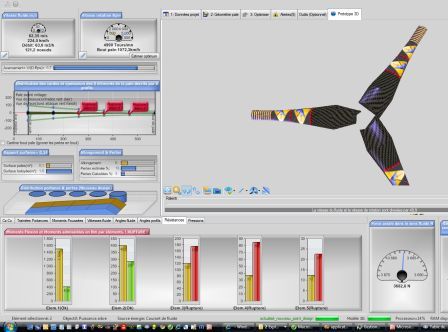
After a first increase in thickness, the tip elements remain in alert.
With another small increase, the strength becomes correct. In return, the power coefficient dropped from 0.6 to 0.5: we went a bit far. Thicker profiles perform less well, so we have to look for a compromise between strength and efficiency.
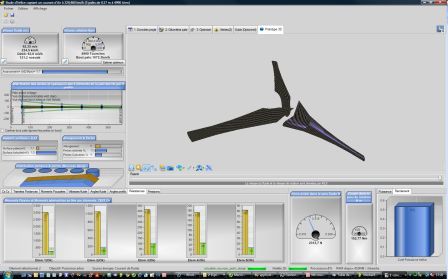
All elements hold, but the power coefficient dropped from 0.6 to 0.5.
4: Materials and textures of the blade elements
You can also choose a material and its texture for each element of the blade, in tab 2: Blade geometry, Advanced Geometry, Elements structure. The material editor sets the strength data of the chosen material automatically, and you can create new materials whose mechanical characteristics you know. The page on the frame, structure and material of the blade describes these options.
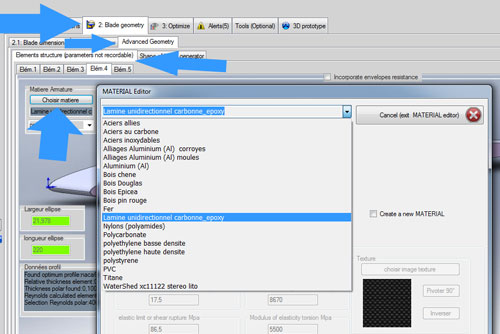
The material editor, opened from the Elements structure tab.
Once the materials are chosen, the textures make the blade recognizable in the 3D view, and the strength of each element is shown with the name of its material.
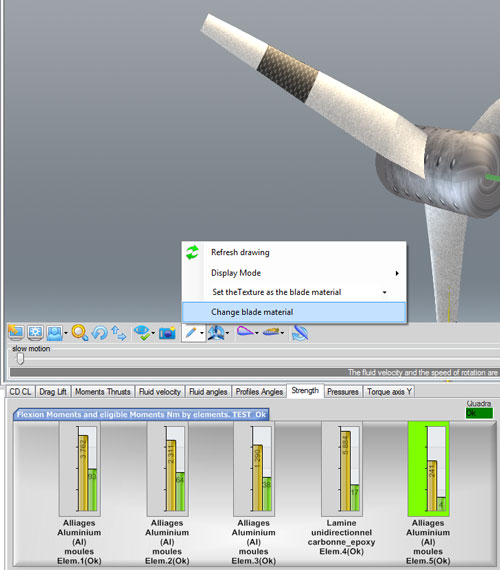
The textures on the blade and, below, the bending moments and allowable moments of each element with their material.
To go further, we can compare the possible structures (spars, shell, tubes) in the page on the blade or wing frame, or see how the choice of the blade profile affects both efficiency and the thickness available.
 Global site map
 Mecaflux
 Tutorials Mecaflux Pro3D
 Tutorials Heliciel
 Tutorials Heliciel PRO CFD
 Mecaflux Store
 Compare software functions
 Quotes, Orders, Payment Methods
 project technical studies